- -60,02%



All in one - Protection module provides various ways to protect the contents of your website. your website protected with in 2 second by this module.
All in one - Protection module provides various ways to protect the contents of your website. your website protected with in 2 second by this module.
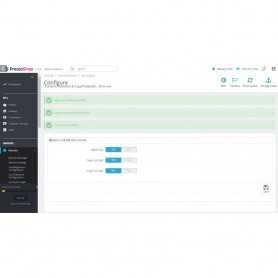
Once installed, the settings of the Content Protection & Copy Protection - All in one would be available for being changed from the ‘Content Protection & Copy Protection - All in one option in the ‘Settings’ menu on the admin screen (back-end) of your website or CMS.
Usually, every website allows for free copying of its contents. However, there may be certain websites which may not be willing to allow copying of its contents due to various reasons. Content Protection & Copy Protection - All in one module is meant for such websites which want to block copying of its contents to a normal visitor. This plugin allows you to copy-protect the content of your WordPress website or blog in one of the following manners and you can change this setting at any time:
• Enable copy protection by disabling mouse and key commands for copying, printing, saving, source-code, etc. When this option is selected, Content Protection & Copy Protection - All in one will not allow copying of contents of your website by keyboard commands (such as Ctrl-C) or by mouse commands. In fact, with this option selected, one cannot highlight or select any text from your posts or pages. Thus, copying of your contents will be blocked. This method takes care of various copying methods, such as by Ctrl-C, Ctrl-A, Ctrl-X, printing page from browser by Ctrl-P, saving files from browser by Ctrl-S, viewing source-code of web page by Ctrl-U, viewing page code in developer mode (such as by Ctrl-Shift-I in Google Chrome), mouse right-click, text-selection, drag and drop, etc.
• Enable copy protection by setting copied text to nothing, i.e., by emptying it. When this option is selected, Content Protection & Copy Protection - All in one uses another method to prevent copying of your content. In this method, when the user selects the text for copying, the text is allowed to be selected; however, the copied text is set to nothing, i.e., it is set to an empty string. So, when the user pastes this text in some other application or file, your copied contents will NOT get pasted.
• Disable copy protection, but append copyright text with page link to copied text. When this option is selected, Content Protection & Copy Protection - All in one plugin will disable the copy protection, i.e., it will allow copying of text. However, the plugin will append your copyright text and your page-link or backlink or credit-link (of the web page from where copying took place) to the copied text. Thus, when the user pastes the copied text in his application or file, the pasted text will include your page-link and copyright warning. This plugin gives you freedom to change what copyright text should appear appended to the copied text.
• Disable copy protection completely, i.e., allow full copying as it happens in most of websites normally. When this option is selected, Content Protection & Copy Protection - All in one module will do nothing, i.e., it will allow the normal working of the website, wherein its contents are allowed to be copied freely by any visitor to your site.
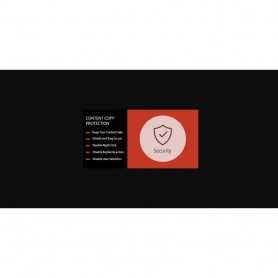
Protect Your Images
• Disable right-click, Drag & Drop downloads on all popular browsers.
Protect Your Texts
• Disable text selection. Disable shortcut keys: Ctrl+A (select all), Ctrl+C (Copy), Ctrl+P (print), Command-A, Command-C, Command-P.
• F12 keys disable
Be Unique
• Disable right click
• Disable F12
• Disable text selection
• Disable the combination of keys (copy / paste)
• Disable drag and drop of images or texts
• Manages pages exceptions
• Increase Site's Ranking in Search Results by having Unique content.
• Save Your Content. One click install. No coding needed.
• Multi store
• Multi - language
•
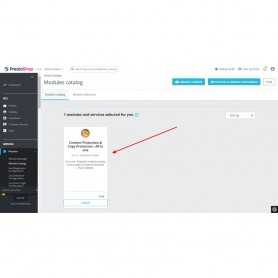
➤ Log-in Admin Panel / Back-Office
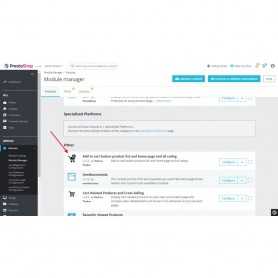
➤ Go to Menu: Back-Office >> Modules
➤ Add New Module
➤ Upload zip
➤ Install & Configure
 Nieuw
Nieuw  Nieuw
Nieuw 
All checkout steps appear together on a single page for customers to modify any step at...

Display Instagram Feed & Slider with NEW API , user and hashtag . Display your awesome...


PrestaShop Google Tag Manager (GTM) ! Add an enhanced and customized datalayer on every page...

 Sale
Sale Google Tag Manager module allows you to integrate Google Tag Manager on your PrestaShop site...

MailChimp Sync for Prestashop customers and Newsleter subscribers . Automatically subscribe...

 Sale
Sale Avoid duplicate content and improve your SEO . Using the canonical tag prevents problems...
 Sale
Sale PageSpeed: browser caching Page load times can be significantly improved by asking visitors to...

All in one - Protection module provides various ways to protect the contents of your website. your website protected with in 2 second by this module.