- -60.02%


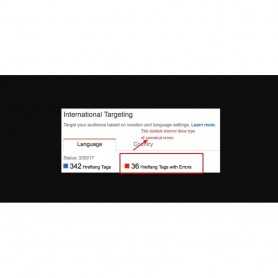
Avoid duplicate content and improve your SEO . Using the canonical tag prevents problems caused by identical or "duplicate" content appearing on multiple URLs
Avoid duplicate content and improve your SEO . Using the canonical tag prevents problems caused by identical or "duplicate" content appearing on multiple URLs.
Canonical URLs to improve link and ranking signals for content available through multiple URL structures or via syndication. ..Indicate the preferred URL with the rel="canonical" link element. ... Specify a canonical link in your HTTP header. And avoid duplication content .
The rel=canonical element, often called the “canonicallink”, is an HTML element that helps webmasters prevent duplicate content issues. It does this by specifying the “canonical URL”, the “preferred” version of a web page. Using it well improves a site's SEO
And products searching super in google search engine.
This module full canonical implementation consistent with PrestaShop’s canonical redirects
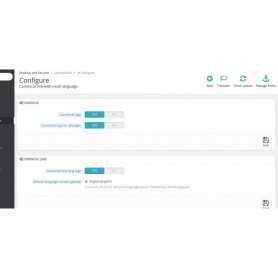
Choose whether to have canonical links on all pages or only on the non-canonical versions . Quick, easy and straightforward configuration with recommended values. Fault-tolerant when adding or removing languages to your shop. tags links will be canonical when canonical tags are enabled
hreflang tags (rel=alternate)
• Full hreflang implementation supporting different languages of your store.
• Automatically prepares a global default (x-default) tag so you can show visitors with an unsupported language results in the language that best fits them.
• Automatically prepares a default language in case you have multiple regions with the same language, for example English (English) and English (Canada). This will allow you to set a default for other English speakers (ie. Belgium) not from English or Canada.
• Quick, easy and straightforward configuration with recommended values. Fault-tolerant when adding or removing languages to your shop.
• hreflang links will be canonical when canonical tags are enabled
Canonical tags (rel=canonical)
• Full canonical implementation consistent with PrestaShop’s canonical redirects
• Choose whether to have canonical links on all pages or only on the non-canonical versions
General
• Multistore compatible
• A canonical tag (aka "rel canonical") is a way of telling search engines that a specific URL represents the master copy of a page.
• Choose whether to run hreflang tags, canonical tags or both
• Supports both without friendly and friendly URLs
Multi-languages and multi-store support.
This module working all PresataShop version ( 1.5 , 1.6 , 1.7 )
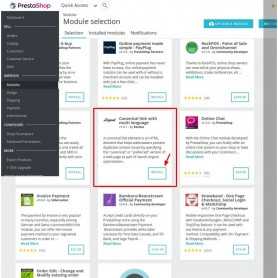
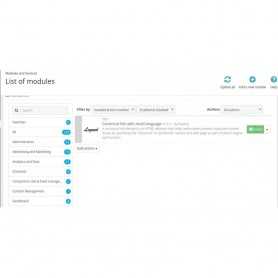
➤ Log-in Prestashop Admin Panel / Back-Office
➤ Go to Menu: Back-Office >> Modules
➤ Add New Module
➤ Upload zip
➤ Install & Configure

The Google Shopping Feed module will allow you to send the list of products of your shop to...


 Sale
Sale Activate the module for smooth scrolling and smooth "back to top" feature.
 Sale
Sale PageSpeed insights reduce loading time of your website. Automatically compress product images...
 Sale
Sale Custom Background Changer is a simple way to change separate background color or image for...

 New
New Create beautiful, dynamic tab sections on your homepage or any hook in PrestaShop. This module...
 Sale
Sale All in one - Protection module provides various ways to protect the contents of your website....
 Sale
Sale Intercom.io customer communication platform with a suite of integrated products for every team...
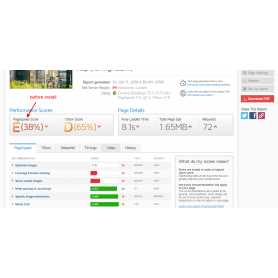
Ultimate super speed is a great module to install and forget about the page load speed issues...

Duplicate products feature value remove and backoffice product loading error fixed .

GZIP compression is bundling (zipping) pages on a web server before the page is sent to the...
Page load times can be significantly improved by asking visitors to save and reuse the files...
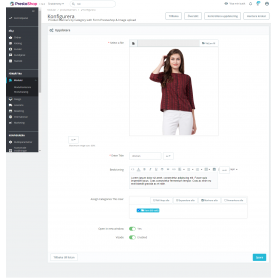
Display responsive Product banners product page by category see banners in products when click...
Avoid duplicate content and improve your SEO . Using the canonical tag prevents problems caused by identical or "duplicate" content appearing on multiple URLs